
If you ever need help while using ReelCount, support is only a click away.
Meet the Help Assistant
ReelCount has a built-in Help assistant available on every page once you're logged in. On a computer, open it from Help in the sidebar. On a phone, Help is in the account menu and opens full screen.
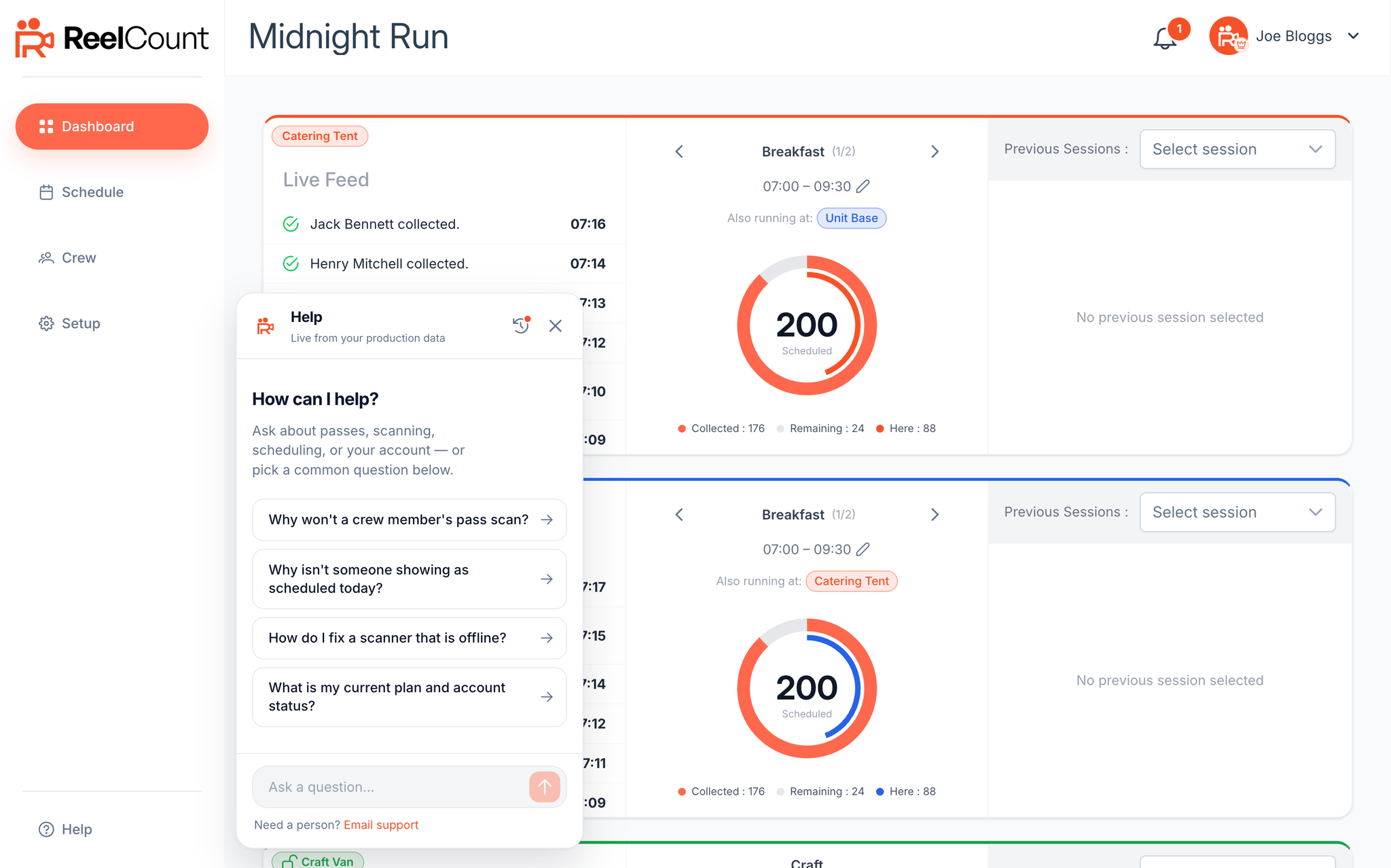
The assistant answers questions about scheduling crew, passes, locations, the scanner, and more, and it can look at your own live account data, so you can ask things like "why won't this crew member's pass scan?" and get an answer specific to your production.
A few things worth knowing:
- Your conversations are saved. On a computer, tap the clock icon in the assistant to go back to an earlier chat, even from a different device. On a phone, open the menu (the bars icon) to see your conversation list.
- It's available around the clock, whenever you're logged in.
- There's a daily usage limit. If you reach it, the assistant will point you to email support instead.
The Help assistant is available on Pro and Enterprise plans, and is rolled out production by production. If you don't see Help in your account yet, email us or use the contact form instead.
When You Need a Human
If the assistant can't solve your problem, tap Request a person to hand the conversation to the ReelCount team, or Email instead if you'd rather write. Both include your conversation reference, so we can see what you've already tried.
On the assistant's home screen, Email support opens a message to the team.
Prefer Email or the Website?
You can always reach us directly at: 📧 support@reelcount.com
You can also send a message from reelcount.com/contact. Choose a topic (including customer support or billing) and we'll pick it up from there.
For faster responses, please include details such as your project name, device type, and any relevant screenshots.
Key Points
- The Help assistant is built into ReelCount. Open it from Help in the sidebar, or the account menu on a phone.
- It answers instantly and can check your own account's live data.
- On a computer, tap the clock to reopen an earlier conversation. On a phone, use the menu.
- Use Request a person or Email instead to hand things over to our team, conversation included.
- Email support is always available at support@reelcount.com, and the contact form is at reelcount.com/contact.
That's how to get further support with ReelCount. The assistant's always awake, and our team's never far behind.